Team Analytics
Team Analytics is the organization-level view where Panorama turns everyone's day-to-day work into a picture of your team. Open your Organization and select Team Analytics to see who is working on what, how skills are distributed, and how members compare.
Filtering the view
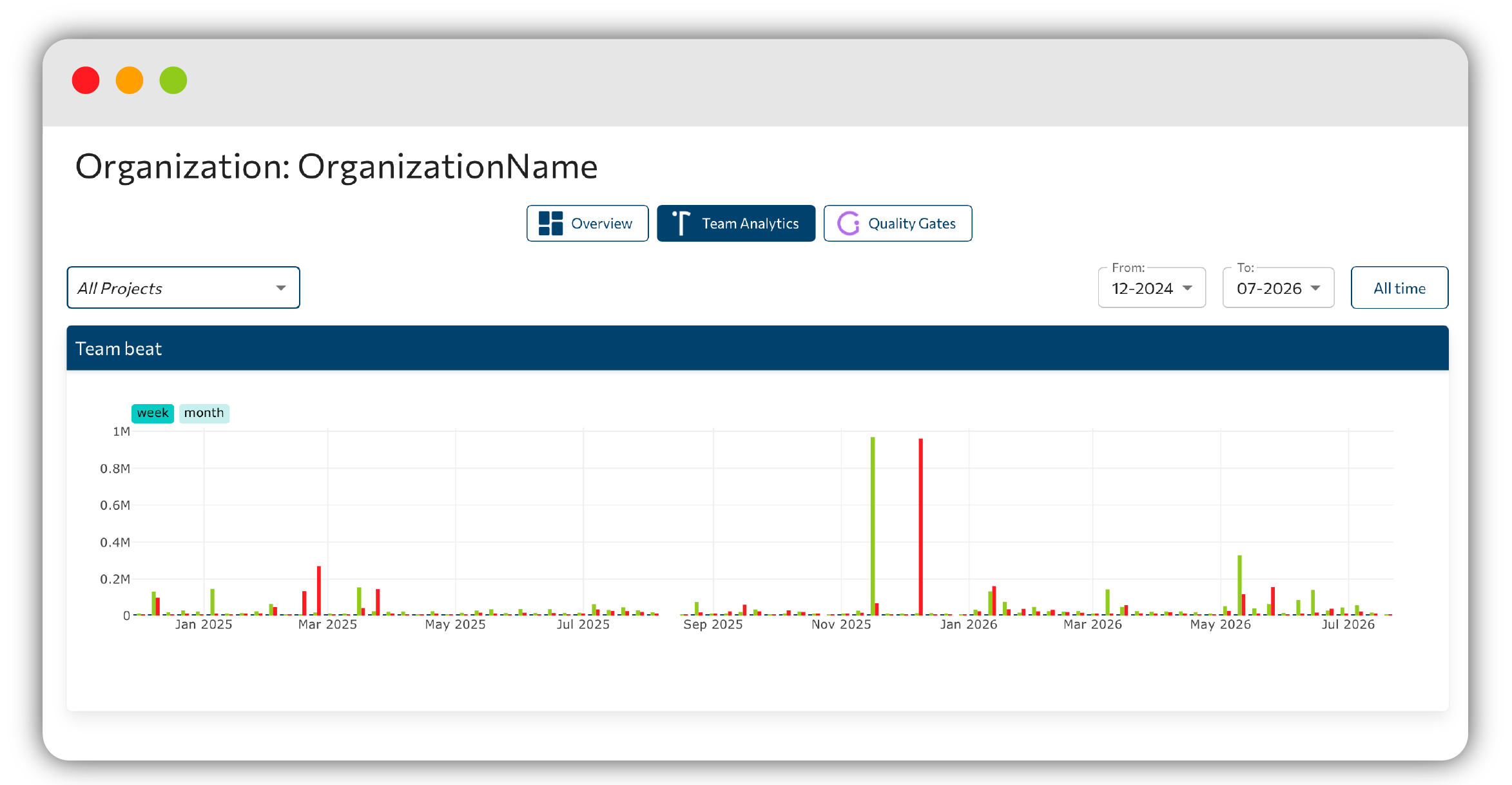
Two controls at the top scope everything on the page:
- A project selector, defaulting to All Projects, so you can look at the whole organization or narrow down to a single project.
- A range selector covering up to the last 24 months, so you can focus on a recent window or the longer term.
OrganizationBeat
OrganizationBeat is a commits-by-day heat view that gives you the pulse of the organization at a glance. Denser days stand out immediately, so you can spot busy stretches and quiet periods across the selected range.
Developers
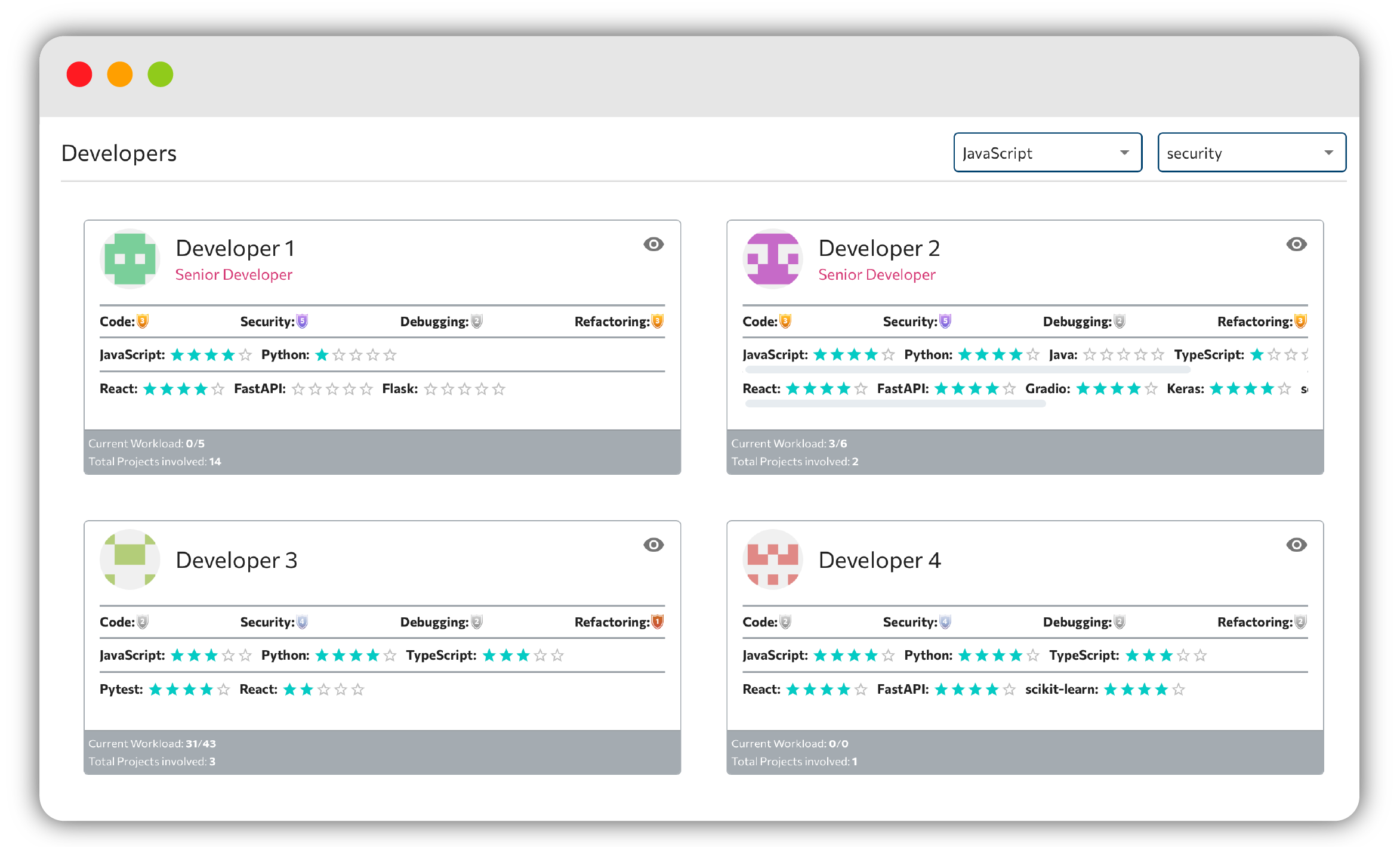
The Developers section presents one card per team member. Each card summarises:
- Characteristics: strengths such as Debugging, Security, and Refactoring, each shown with a level badge.
- The languages and frameworks the member works with.
- Their current workload.
Comparison
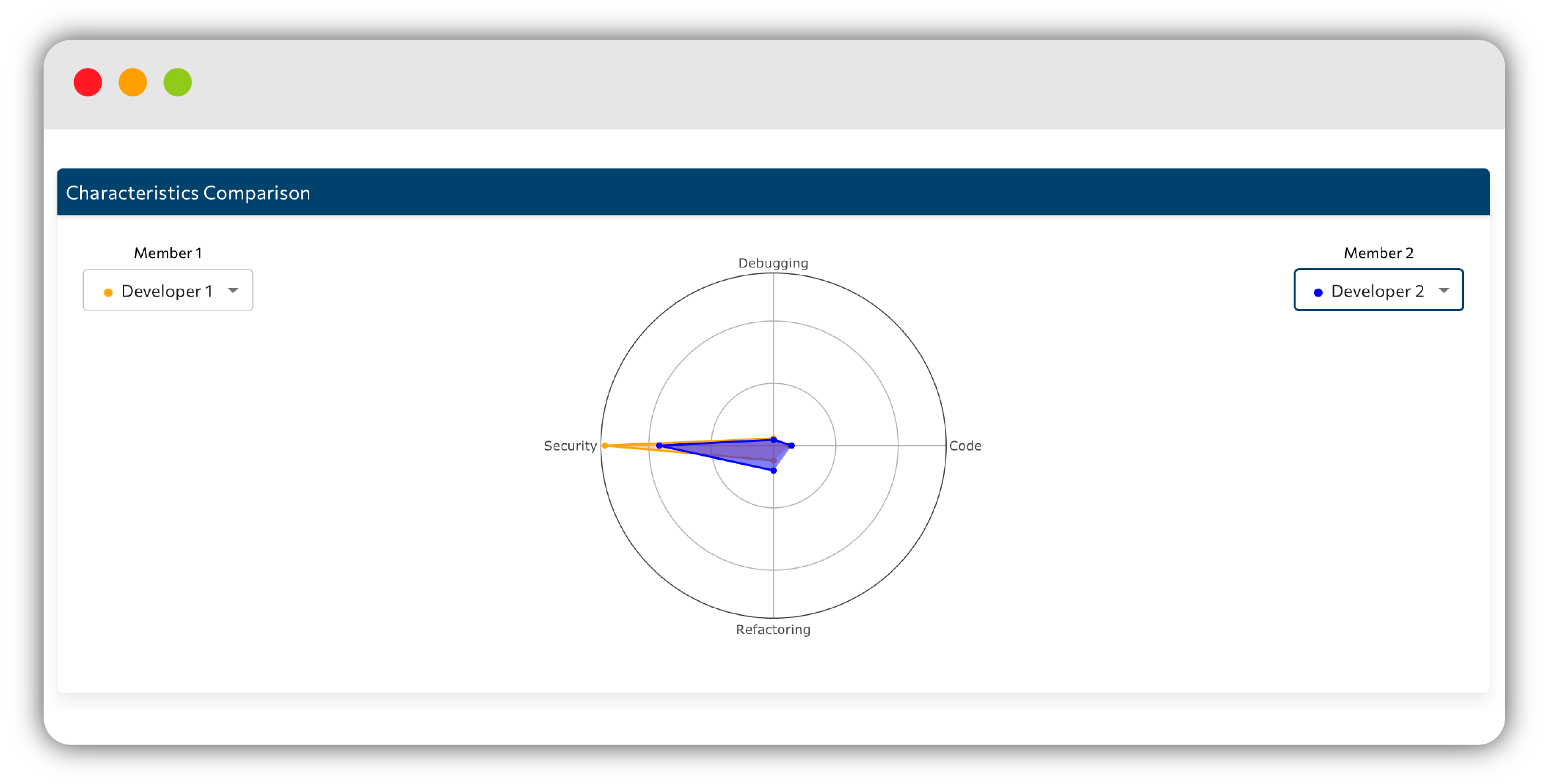
The Comparison section places two people side by side. Pick Member 1 and Member 2 and Panorama draws a radar chart across their characteristics, alongside soft skills (Efficiency, Focus, Innovation, and Speed).
Until both slots are filled you will see the Select a developer… prompt, and where there is not enough history you may see No developer data available for comparison.
Skills
The Skills section rounds out the picture across three views:
- Technical Skills: the hard skills present in the team.
- Soft Skills: the working styles that complement them.
- Skills Evolution: how those skills have changed over time.
Developer Profile
Every developer also has a dedicated Developer Profile page. Its header carries the member's avatar, Full Name, Short Bio, Address, Website, and their earned badges. Below that, a set of panels tells the rest of the story:
- Languages & Frameworks
- Characteristics
- Soft Skills
- Involved Repositories
- An Activity contributions calendar
- Basic Trends
The Developer Profile shares the same identity that powers the public Companion developer profile.
Gamification badges
Badges celebrate contributions and come in two families:
- Progressive Badges grow with your work across 5 levels and include Bug Slayer, Estas LOC-o!, Patch Paladin, Repo Ranger, Serial Committer, and Too Committed.
- Unique Badges mark special achievements, such as Code Cleanser, Code Vampire, Multiverse Coder, The Reaper, and Trophy Hoarder, plus periodic monthly ones.
Learn more about how badges are earned and displayed in the Companion badges reference.
Next step
Fine-tune your account and projects in Settings.