The Welcome dashboard
After you sign in, you land on the Welcome page, greeted with "Hi there, {username}". It's your home base, a quick summary of your activity and where you head to explore everything else.
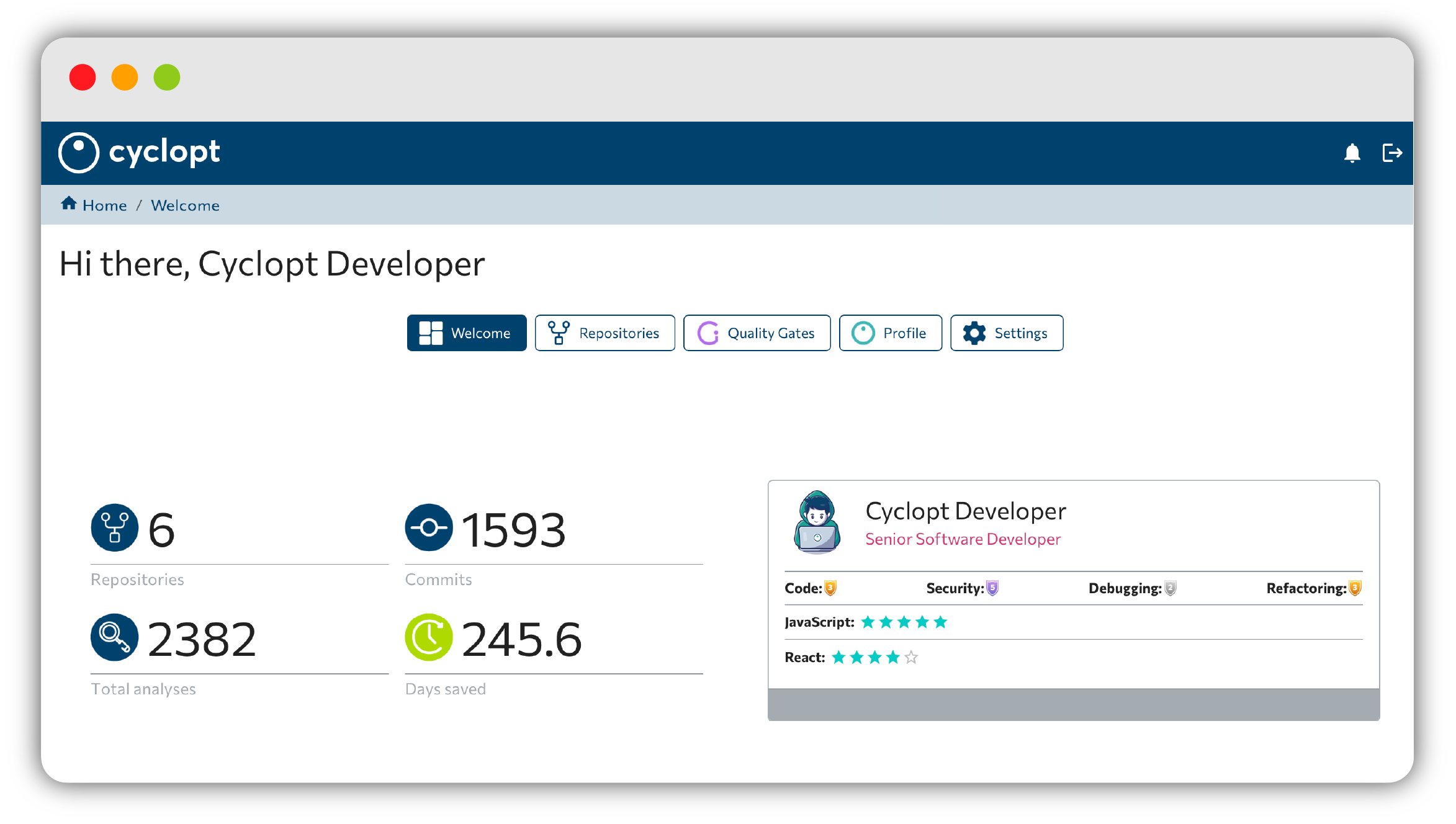
Navigation and header
The top navigation gives you access to the main areas:
- Welcome
- Repositories
- Quality Gates
- Profile
- Settings
The header also carries a few essentials:
- The Remaining Commits: N / 30 counter, with your renewal date and a Go UNLIMITED button to upgrade.
- The Notifications bell, which shows per-commit analysis progress — entries like "Commit {hash}" and "{n}/{total} analyses completed", plus a Clear history action.
- A log out option.

Your stats at a glance
The Welcome page shows four stat tiles summarizing your work:
- Repositories
- Commits
- Total Analyses
- Days Saved
Below them sits a Developer Card preview: your avatar, role, characteristics and languages/frameworks, which clicks through to your full profile.
Once you have repositories connected, the page also surfaces an Attention Required section highlighting what needs your focus, and an Achievements Summary of your progress.
Getting-started prompts
If you haven't connected anything yet, the Welcome page nudges you along:
- "🔔 You haven't added any repositories yet."
- "🔔 You haven't set up a webhook URL for notifications yet."
Each prompt links you straight to Settings to finish the setup.
Set up notifications early so you get analysis results in your notification channel as soon as they're ready.
Next steps
From here, connect your code in Adding & viewing repositories, or dive into your Developer profile.