MCP server
The Cyclopt MCP Server connects AI coding assistants with Cyclopt's software intelligence, giving you direct access to code quality, maintainability and security insights inside your AI workflow, without switching tools.
What is the Cyclopt MCP Server?
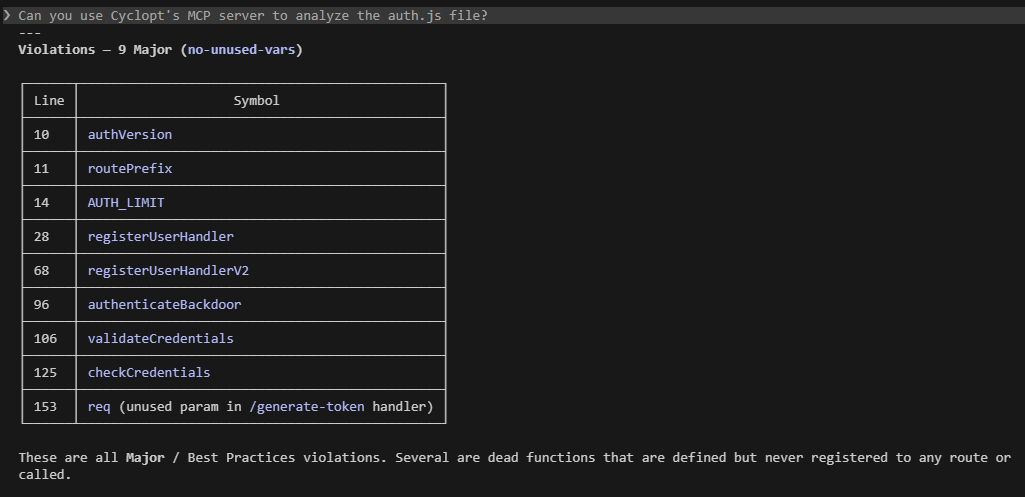
The Cyclopt MCP Server exposes Cyclopt's analysis engine to AI coding assistants over the Model Context Protocol. Through it, your assistant can request different types of code analysis, check job progress, and retrieve results — turning analysis output into usable context at the exact moment you and your AI agent are working on the code.
How does it work?
Through the MCP Server, you can query Cyclopt analysis results, review detected issues, understand key code metrics, and receive actionable guidance while working with your AI assistant, without leaving your development workflow. Instead of treating code analysis as a separate step, it makes Cyclopt's insights available in-line, helping you move from generated suggestions to reviewed, safer and more reliable software.
You'll need a Cyclopt API token. Generate one in Settings → Cyclopt API Token (see Settings) and keep it handy. Replace <YOUR_CYCLOPT_API_TOKEN> in the snippets below with your token.
Set up the MCP server in your AI assistant
Claude Code
- Generate your Cyclopt API token (from the Cyclopt dashboard).
- Run the MCP add command in your CLI using your token:
claude mcp add cyclopt --transport http "https://mcp-server.cyclopt.com/mcp" --header "Authorization: Bearer <YOUR_CYCLOPT_API_TOKEN>" --scope user
- Fully restart Claude Code.
- In Claude Code, test MCP with a read-only query:
List all Cyclopt analyzers.
GitHub Copilot
- Generate your Cyclopt API token (from the Cyclopt dashboard).
- In your project root, open or create
.vscode/mcp.jsonand add the Cyclopt entry:
{
  "servers": {
    "cyclopt": {
      "transport": "http",
      "url": "https://mcp-server.cyclopt.com/mcp",
      "headers": {
        "Authorization": "Bearer <YOUR_CYCLOPT_API_TOKEN>"
      }
    }
  }
}
- Reload VS Code: open the Command Palette and run Developer: Reload Window.
- Open Copilot Chat and test MCP with a read-only query:
List all Cyclopt analyzers.
Open Code
- Generate your Cyclopt API token (from the Cyclopt dashboard).
- Find or create
opencode.jsonwith the content:
{
  "$schema": "https://opencode.ai/config.json",
  "mcp": {
    "cyclopt": {
      "type": "remote",
      "url": "https://mcp-server.cyclopt.com/mcp",
      "enabled": true,
      "headers": {
        "Authorization": "Bearer <YOUR_CYCLOPT_API_TOKEN>"
      }
    }
  }
}
- Restart Open Code.
- In Open Code, test MCP with a read-only query:
List all Cyclopt analyzers.
Codex
- Generate your Cyclopt API token (from the Cyclopt dashboard).
- Export the token as an environment variable in your terminal (or add it to your
~/.bashrcor~/.zshrcfor persistence):
export CYCLOPT_API_TOKEN="your_actual_cyclopt_token_here"
- Find
.codex\config.tomlwith the content:
[mcp_servers.cyclopt]
url = "https://mcp-server.cyclopt.com/mcp"
bearer_token_env_var = "CYCLOPT_API_TOKEN"
- Reload VS Code: open the Command Palette and run Developer: Reload Window.
- In Codex, test MCP with a read-only query:
List all Cyclopt analyzers.
Next steps
Prefer feedback rendered directly in your editor? Install the IDE plugins.